Leads: the Pipeline and Today
Add a lead in seconds, and never lose one: each has its next step until it’s won or lost.
This is the same guide as the “?” in Crewtide. Everything here is in the admin area: on a computer it’s the menu on the left, and on a phone it’s the menu button. The screenshots are from a demo business.
-
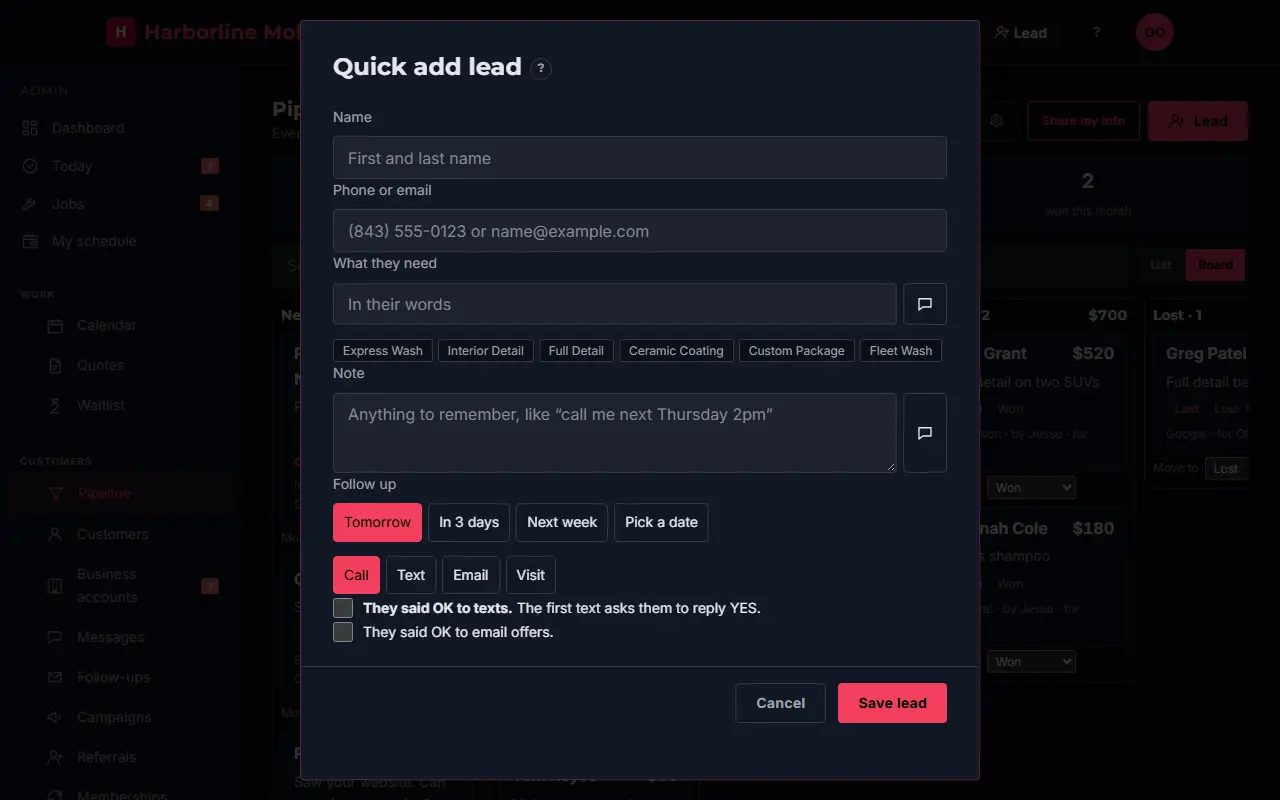
“Lead” at the top of every screen (the person with a +) → “Add a lead”, or “+ Lead” on the Pipeline and Today: their name, phone or email, what they need (tap the mic to say it) and when to follow up: Tomorrow, In 3 days, Next week or Pick a date, and Call, Text, Email or Visit. Then “Save lead”.
What you should see: “Saved. Next: …”, and the lead opens.
-
Write the day in the note, like “call me next Thursday 2pm”: it offers “Set for …?”. Tap “Use it” to take it; nothing is set without it.
What you should see: The time on a chip, with Change.
-
Tick “They said OK to email offers” only when they said so. On the lead, the consent row’s menu has “Ticked by mistake” and “They asked us to stop”, each logged with your name.
What you should see: “OK to email offers” on the lead, with how they said it.
-
On a lead who said OK to email offers, “Send them our contact card” emails your business’s contact card.
What you should see: “Contact card sent to …”.
-
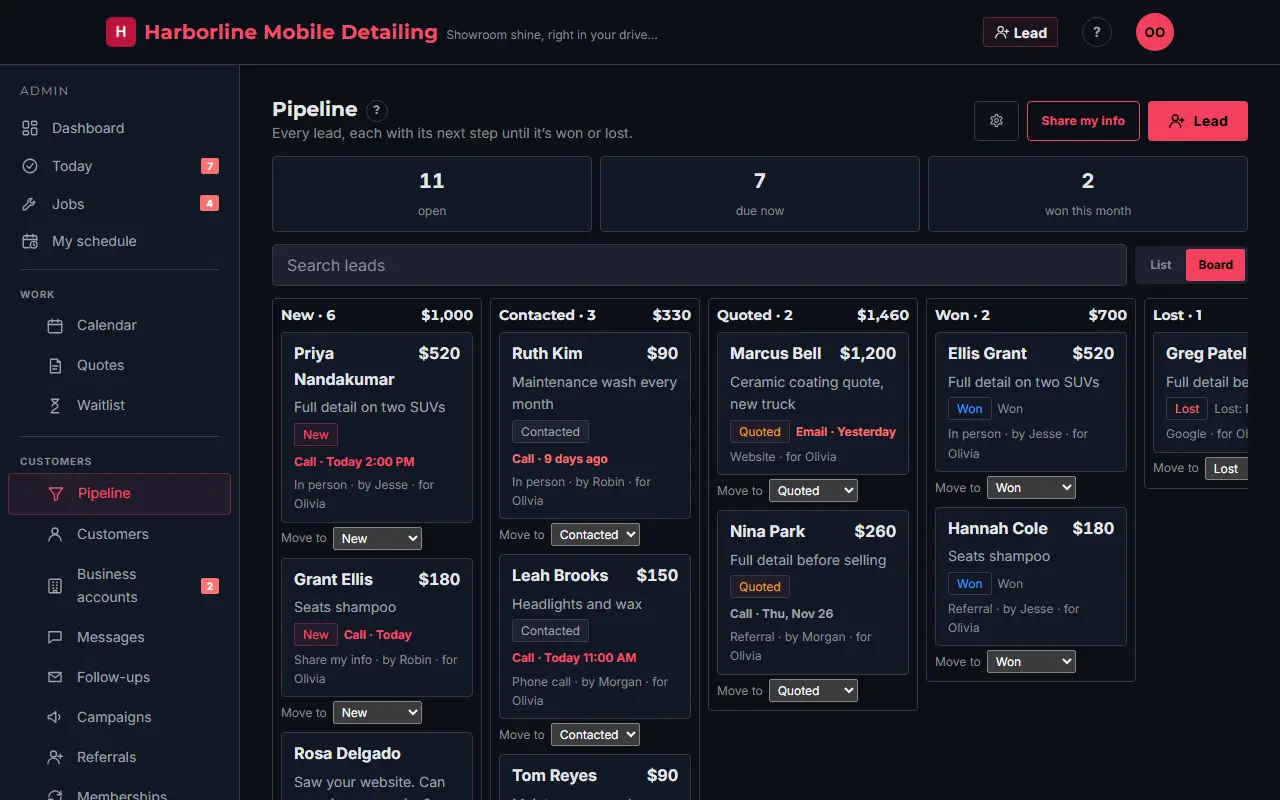
Pipeline lists every lead with its next step: as a List (Overdue, Today, This week, Later) or a Board by stage (New, Contacted, Quoted, Won, Lost). Drag a card, or use its “Move to”.
What you should see: Each lead with what they need, its value and its next step.
-
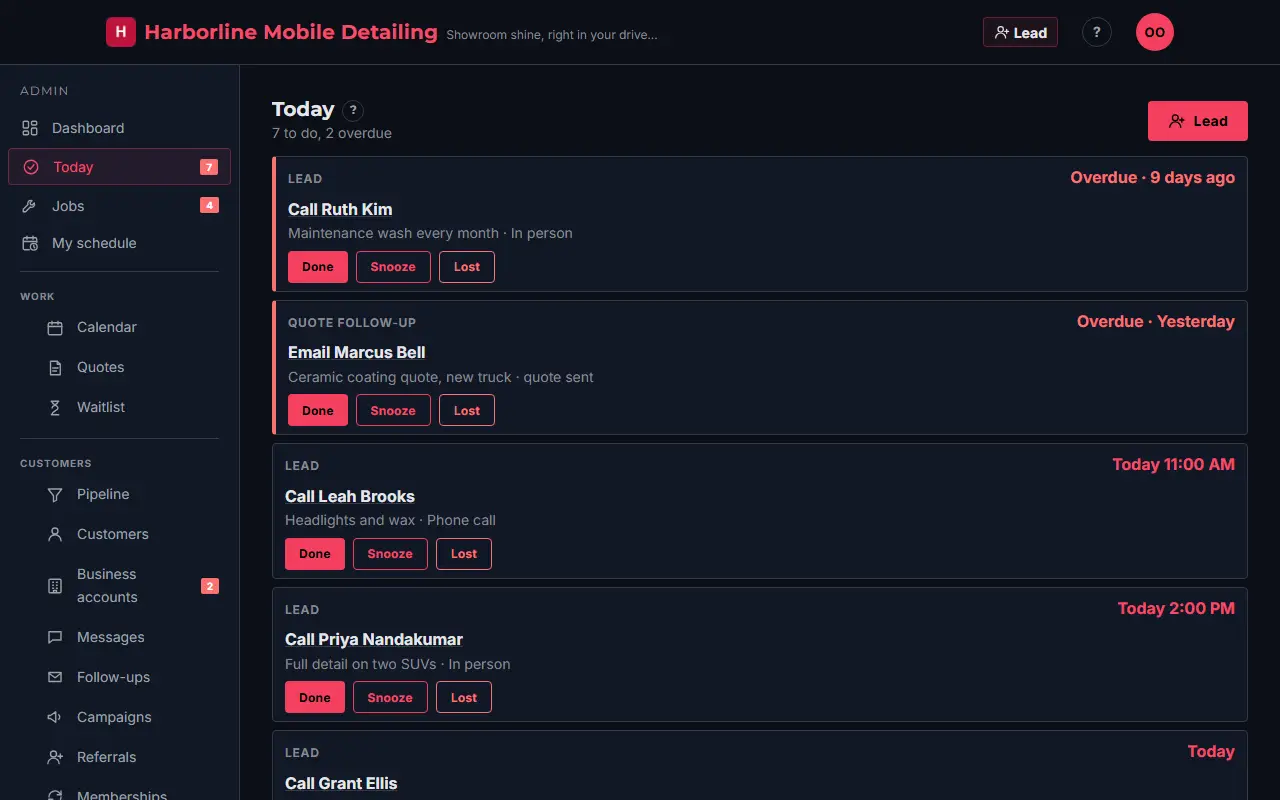
Today lists the calls, texts, emails and visits due, overdue first. “Done” asks what happened and what’s next, then “Save and set next step”. “Snooze” moves it; “Lost” asks why, and the lead comes back to try again in a few months.
What you should see: “Saved, with the next step”.
-
Leads move by themselves: a quote sent makes one Quoted, and a booking or an approved quote marks it Won. Quote requests from your website or booking page arrive as New leads with a call today. Sold some other way? Won → “Mark won”.
What you should see: The lead under Won, with what it was worth.
-
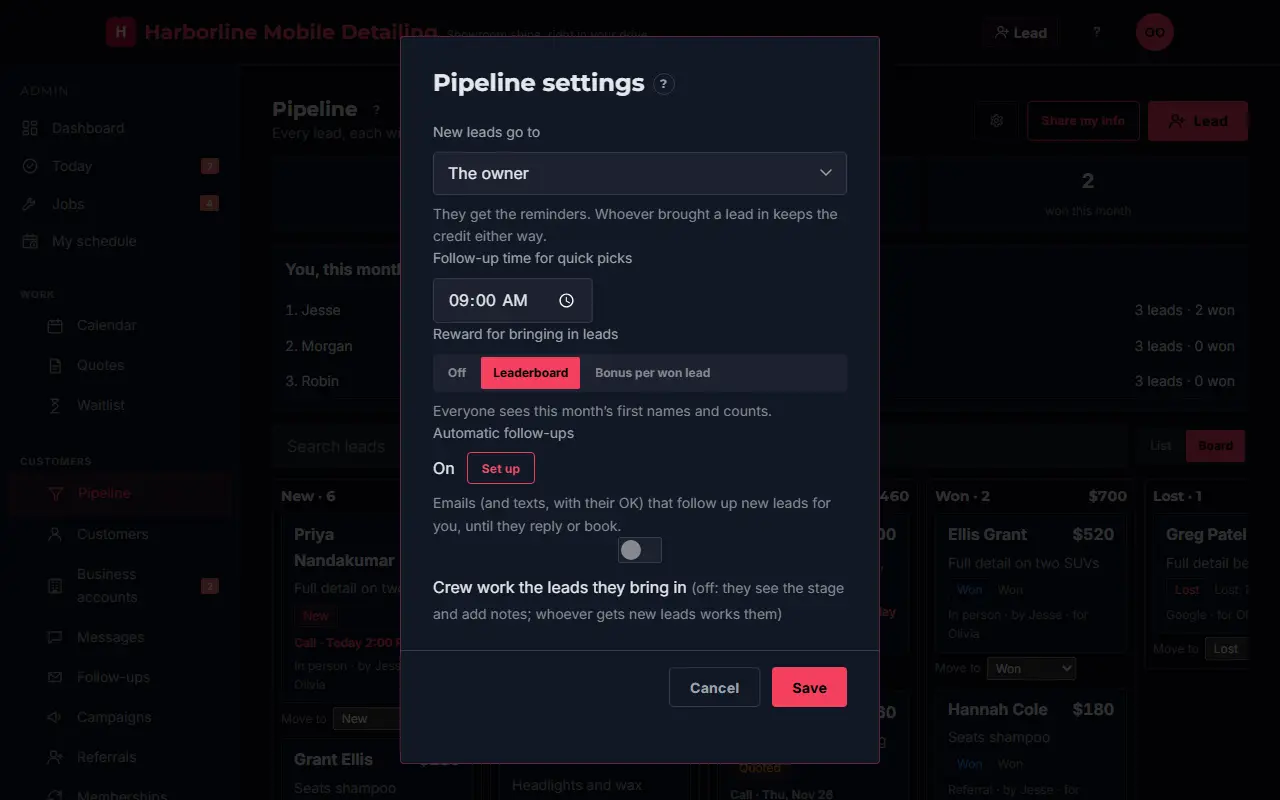
The gear on the Pipeline is its settings: who new leads go to, the follow-up time for quick picks, the reward for bringing in leads, and whether crew work the leads they bring in.
What you should see: “Pipeline settings saved”.


Stuck? Email Crewtide Support at contact@crewtide.app, or use Help & Support in the app.