Inventory and low-stock alerts
The supplies you keep, what each job uses, and restocking.
This is the same guide as the “?” in Crewtide. Everything here is in the admin area: on a computer it’s the menu on the left, and on a phone it’s the menu button. The screenshots are from a demo business.
-
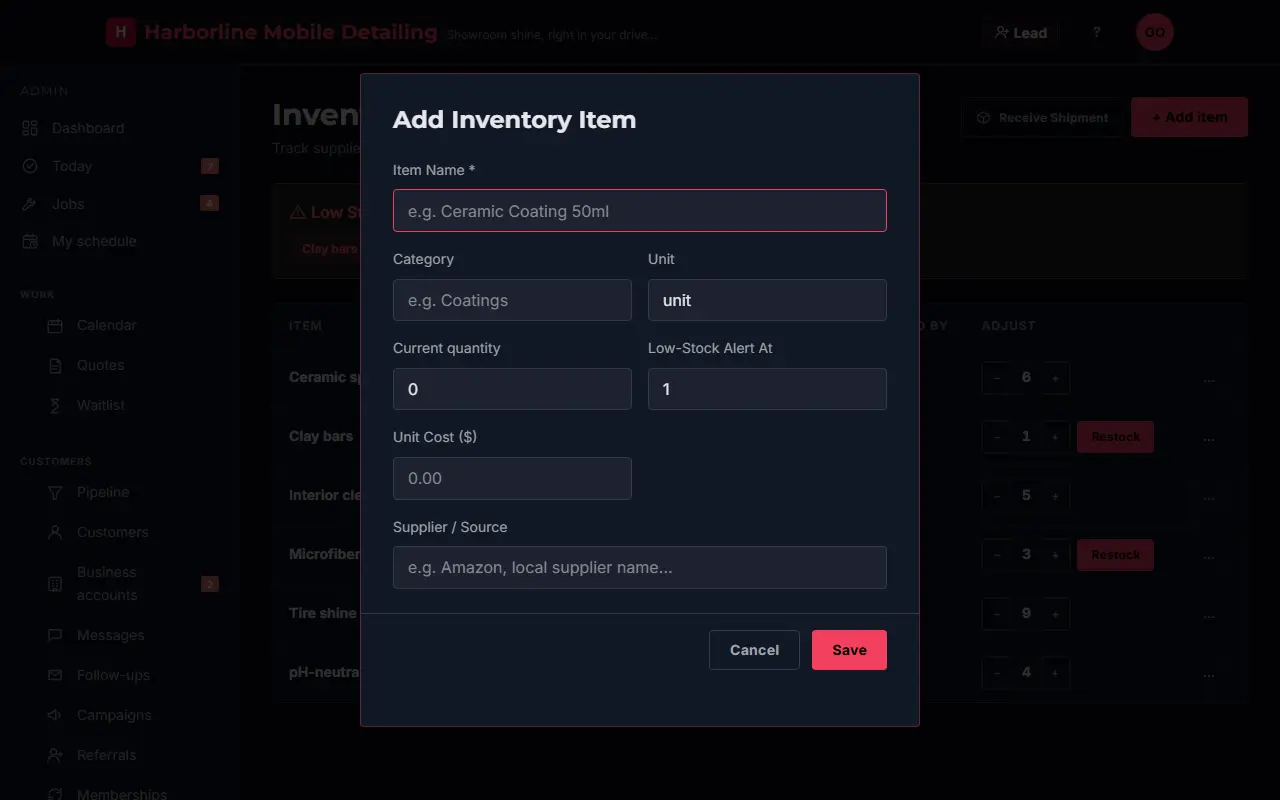
Inventory → “+ Add Item”: its name, unit, current quantity, “Low-Stock Alert At”, unit cost and supplier.
What you should see: Each item with In Stock and Low Alert.
-
Each service says what it uses (Services → “Supplies used per job”), and that comes off when a job is finished. Items running low show at the top of Inventory.
What you should see: “Used By”: the services that use each item.
-
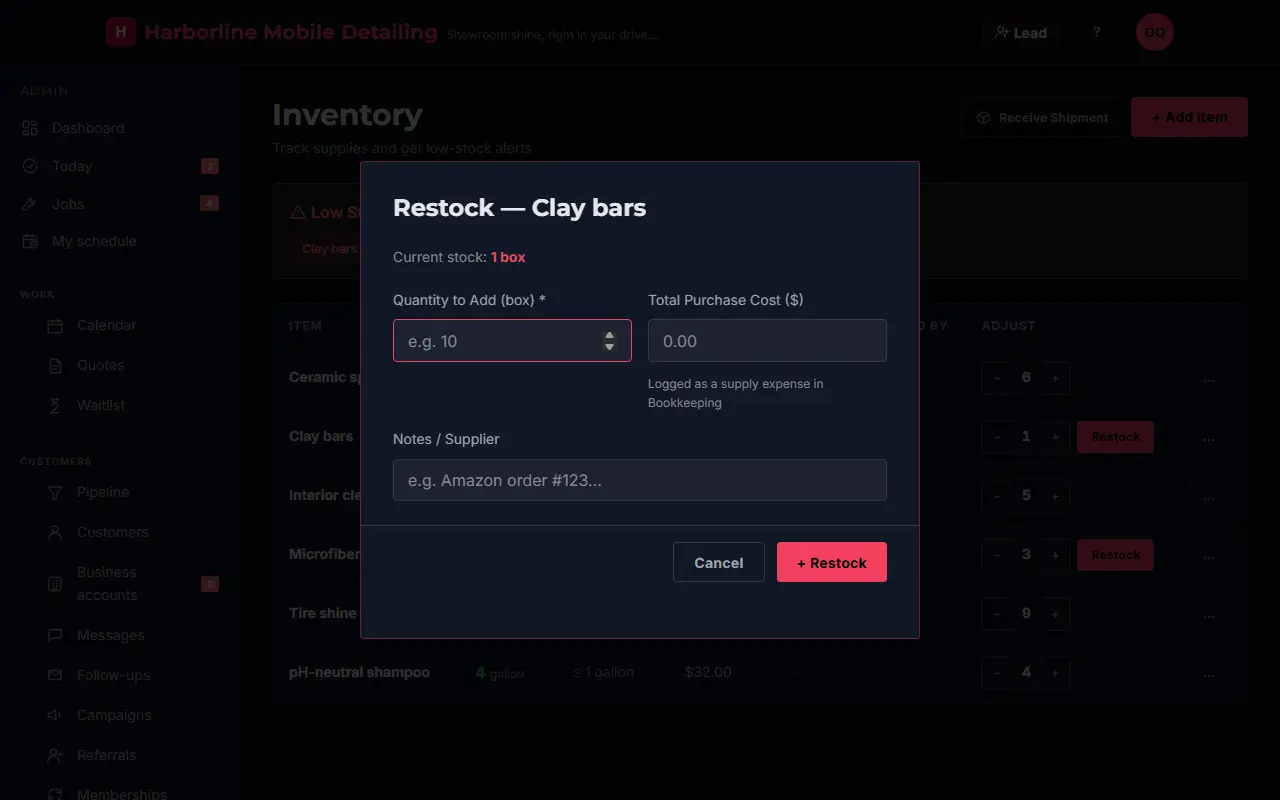
“Restock” for one item, or “Receive Shipment” for several at once. The cost is logged as a supply expense in Bookkeeping.
What you should see: The new quantity in stock.


Stuck? Email Crewtide Support at contact@crewtide.app, or use Help & Support in the app.