Business accounts: companies you work for
Companies you sell to (with fleets, properties or sites), kept apart from your customers, from first call to monthly billing.
This is the same guide as the “?” in Crewtide. Everything here is in the admin area: on a computer it’s the menu on the left, and on a phone it’s the menu button. The screenshots are from a demo business.
-
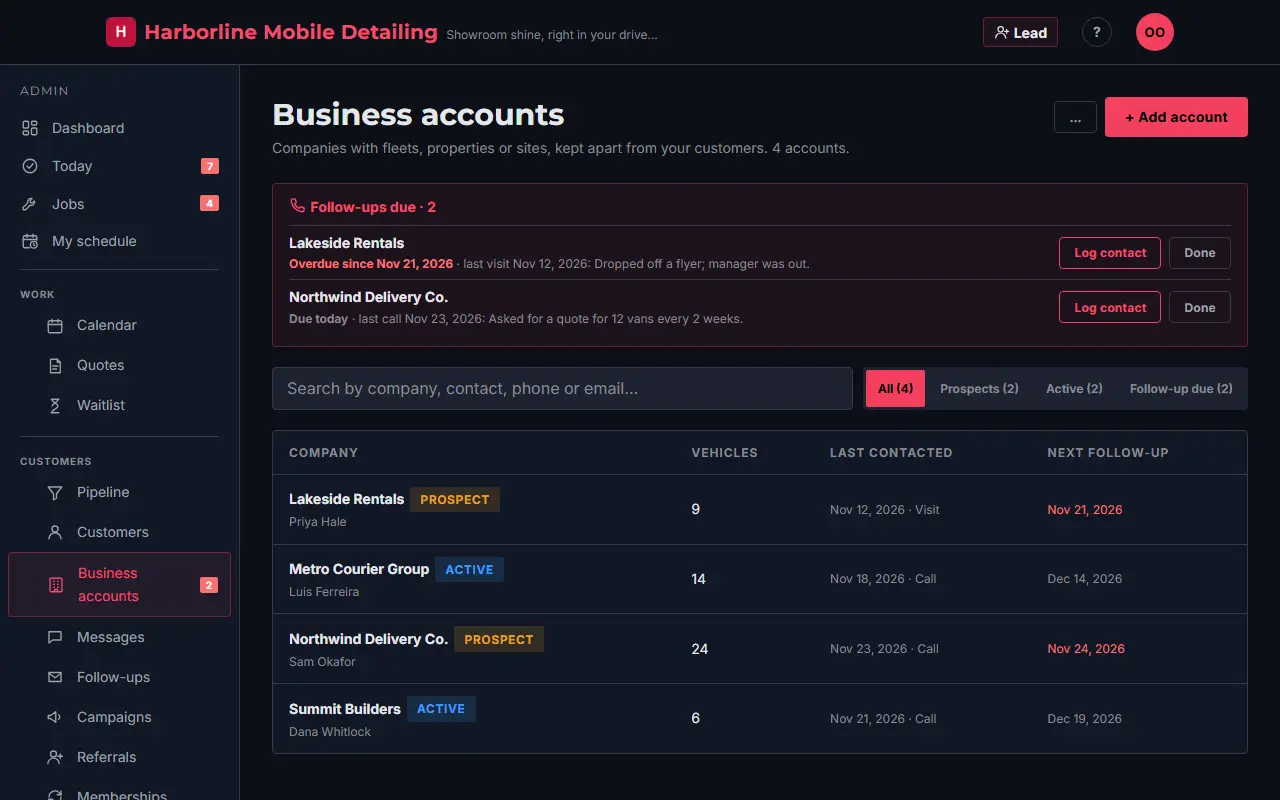
Business accounts (turn it on in Settings → Modules). “+ Add account”, or “Import accounts (CSV)” for a list.
What you should see: Each company with its status, last contact and next follow-up.
-
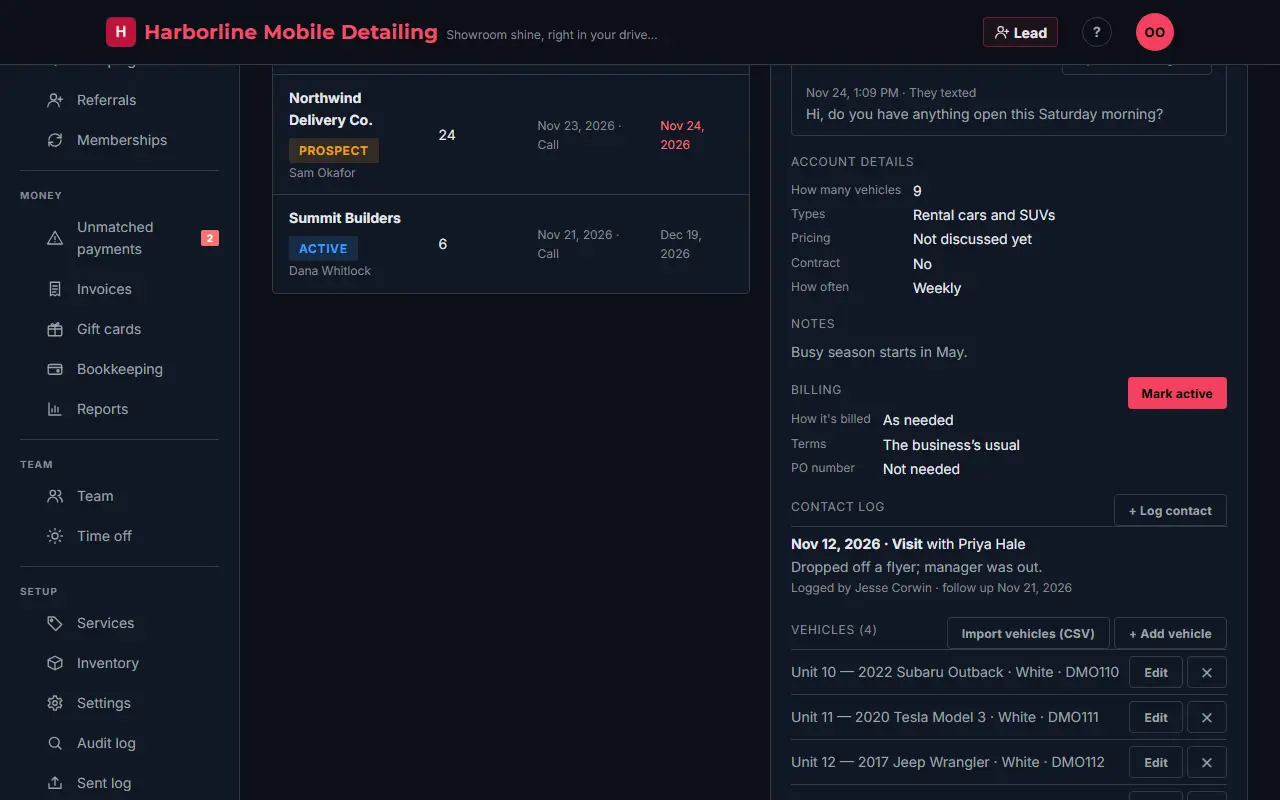
Open one for its contacts and items. “+ Log contact” after each call or visit, with a next follow-up date if there is one. Follow-ups due show on your Dashboard.
What you should see: The contact log, newest first.
-
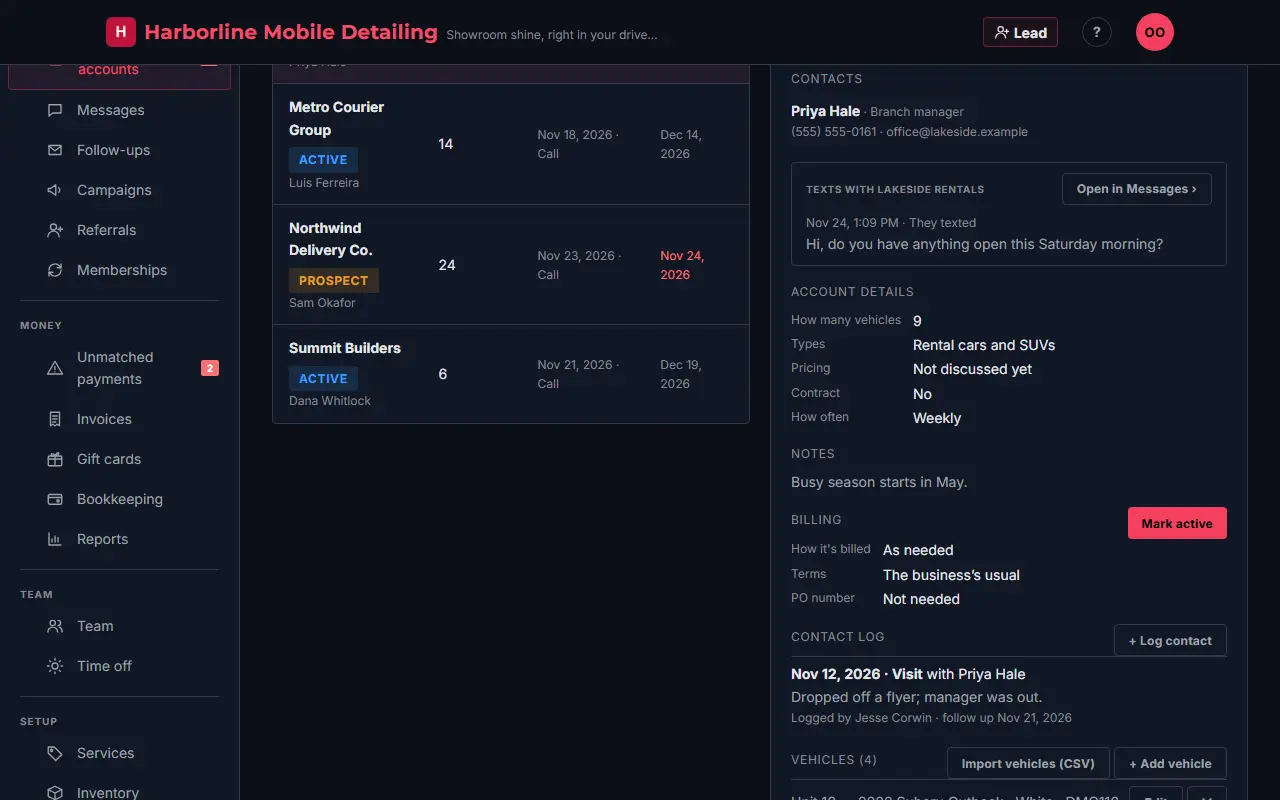
“Mark active” when they sign: how it’s billed (As needed, Monthly statement or Monthly contract), from which date and on which day. Later, Pause, Resume or End contract.
What you should see: Billing, with the next invoice.
-
An active account shows up when you search the customer on a booking or a quote, so the job is billed to the company.
What you should see: The account’s name on the booking.


Stuck? Email Crewtide Support at contact@crewtide.app, or use Help & Support in the app.