Memberships and repeat visits
Plans for regular visits, the customers on them, and billing once a month.
This is the same guide as the “?” in Crewtide. Everything here is in the admin area: on a computer it’s the menu on the left, and on a phone it’s the menu button. The screenshots are from a demo business.
-
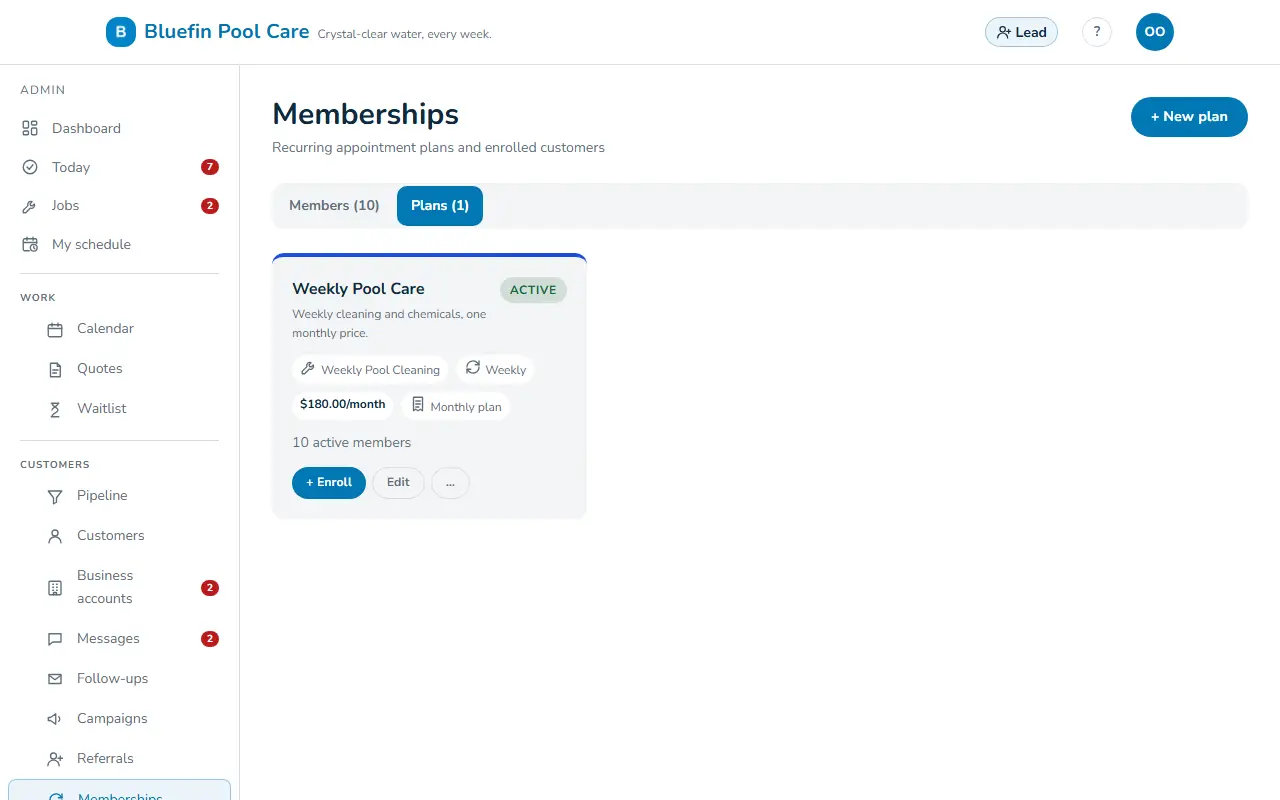
Memberships → Plans → “+ New Plan”: its name, the service, how often (Frequency) and how it’s billed: Per visit, Monthly plan (one price a month) or Monthly invoice.
What you should see: Each plan with its price.
-
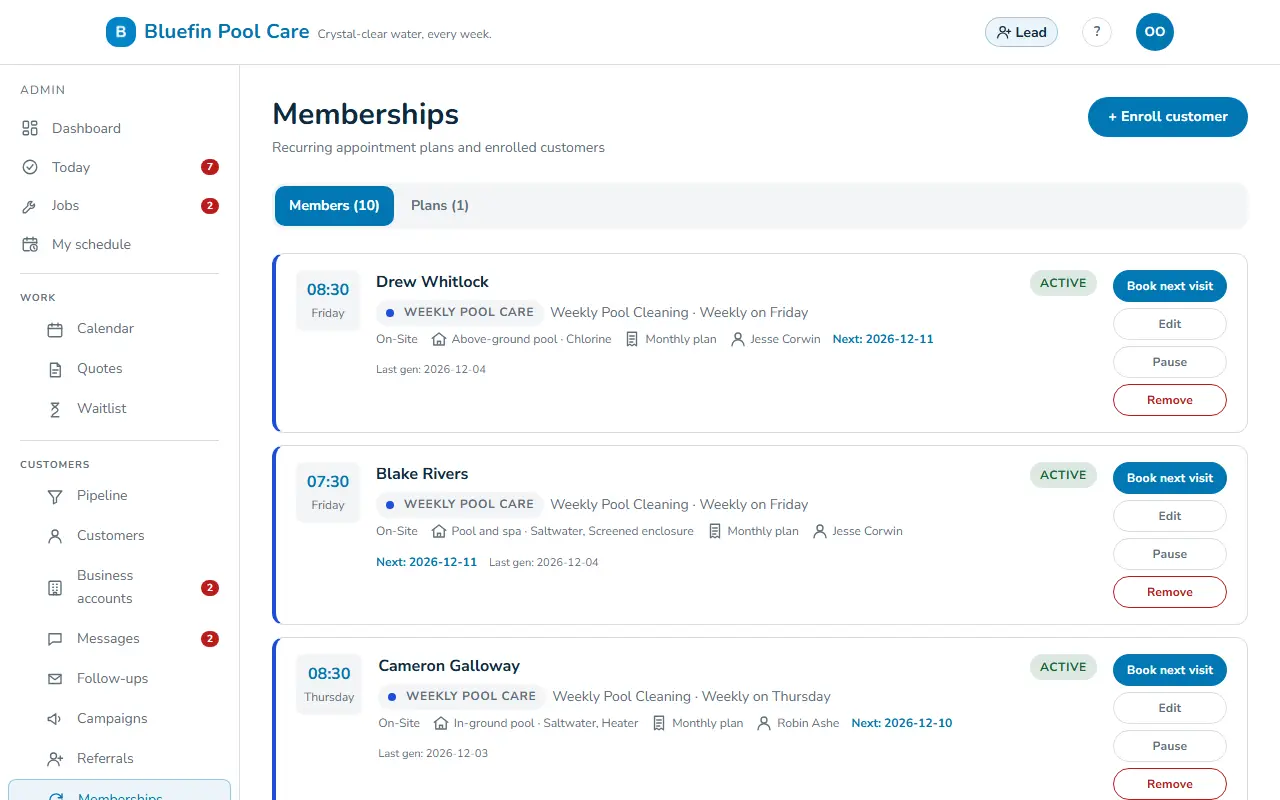
Members → “+ Enroll Customer”: the customer, the plan, the day and start time (or for monthly visits, “Repeats on”, such as the 2nd Tuesday), and who does it.
What you should see: The member listed, with their next visit.
-
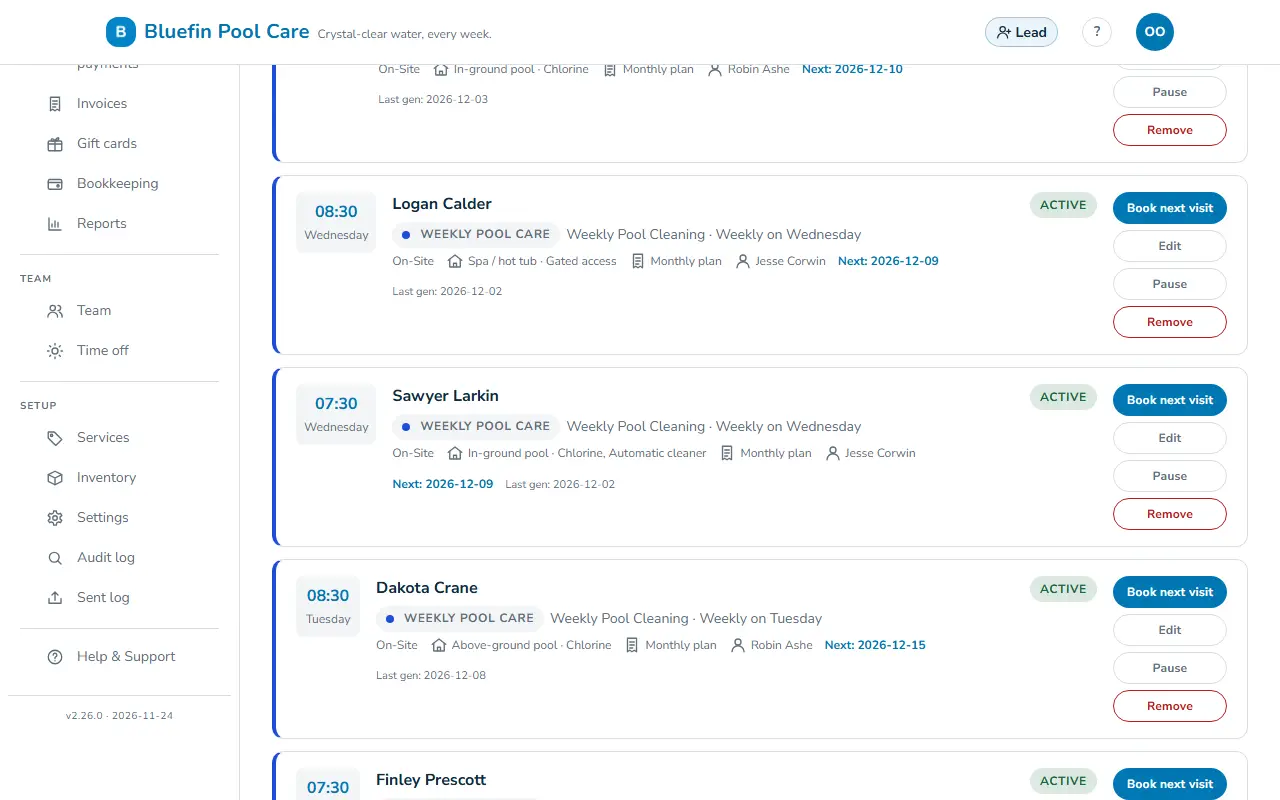
Visits book themselves ahead. “Book next visit” books the next one now.
What you should see: The next visit on the calendar.
-
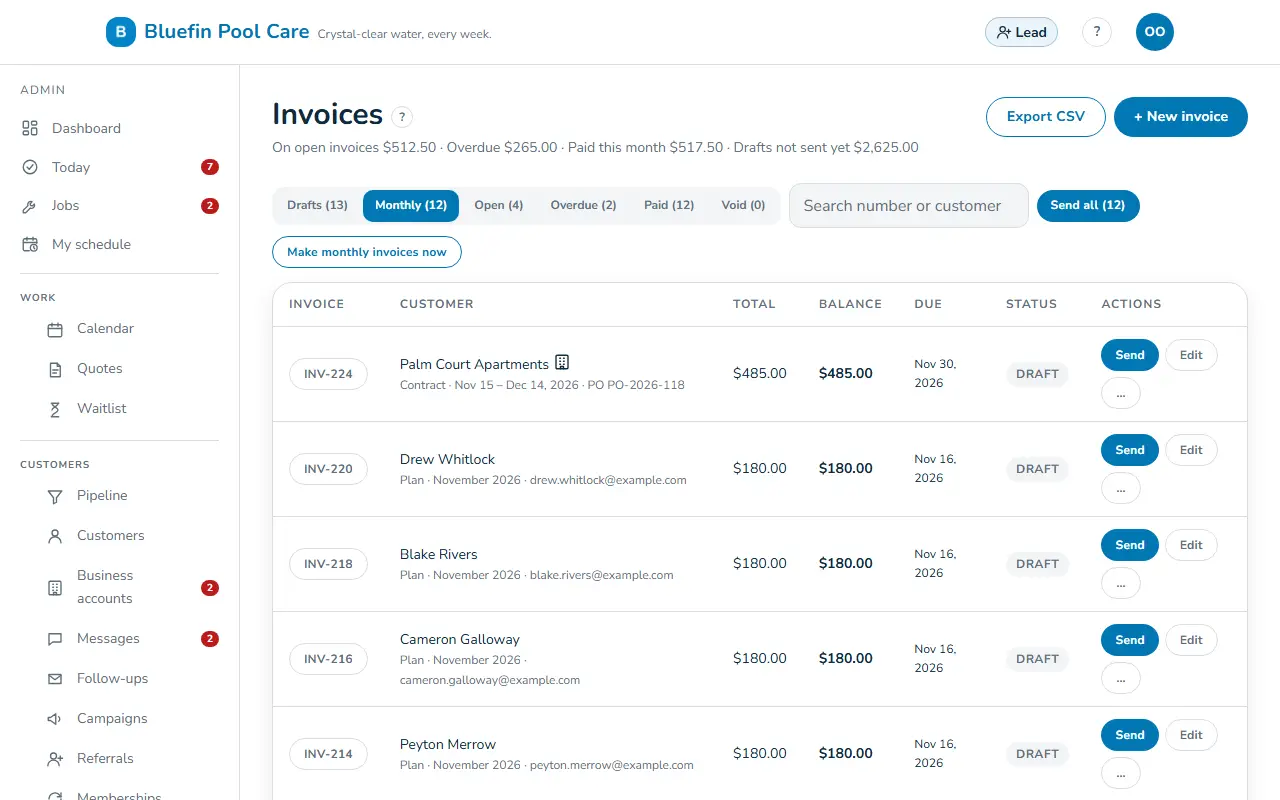
Billed once a month? The invoices wait in Invoices → Monthly: check them and “Send all”.
What you should see: Last month’s invoices, ready to send.


Stuck? Email Crewtide Support at contact@crewtide.app, or use Help & Support in the app.
Next: Gift cards · All guides