Customers and the sign-up follow-up list
Everyone who booked, and people who signed up but haven’t yet.
This is the same guide as the “?” in Crewtide. Everything here is in the admin area: on a computer it’s the menu on the left, and on a phone it’s the menu button. The screenshots are from a demo business.
-
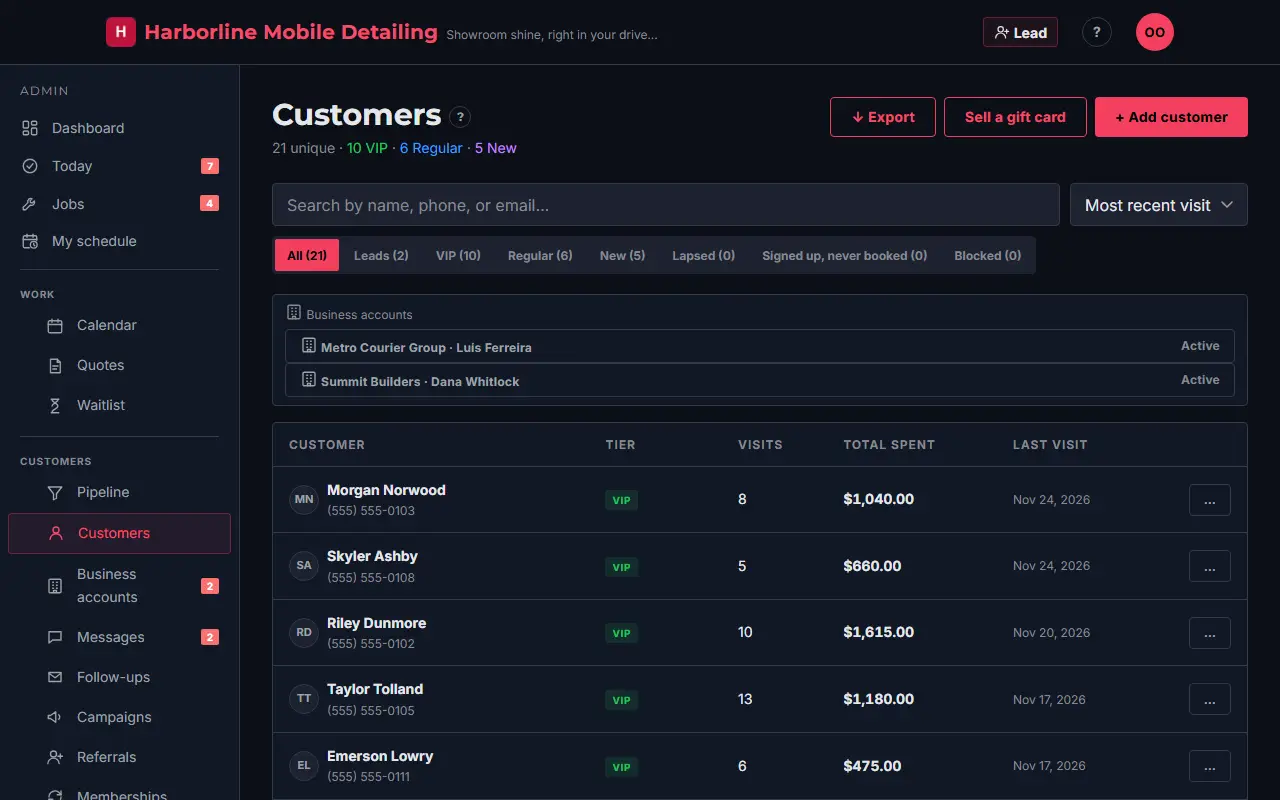
Customers lists everyone, with their visits, spend and saved items. Search by name, phone or email: just the digits of a number find it however it was written.
What you should see: All, Leads, VIP, Regular, New and Lapsed along the top.
-
“Signed up, never booked” lists new accounts to follow up. Mark each Contacted or Dismiss.
What you should see: How many days ago they signed up, and on which page.
-
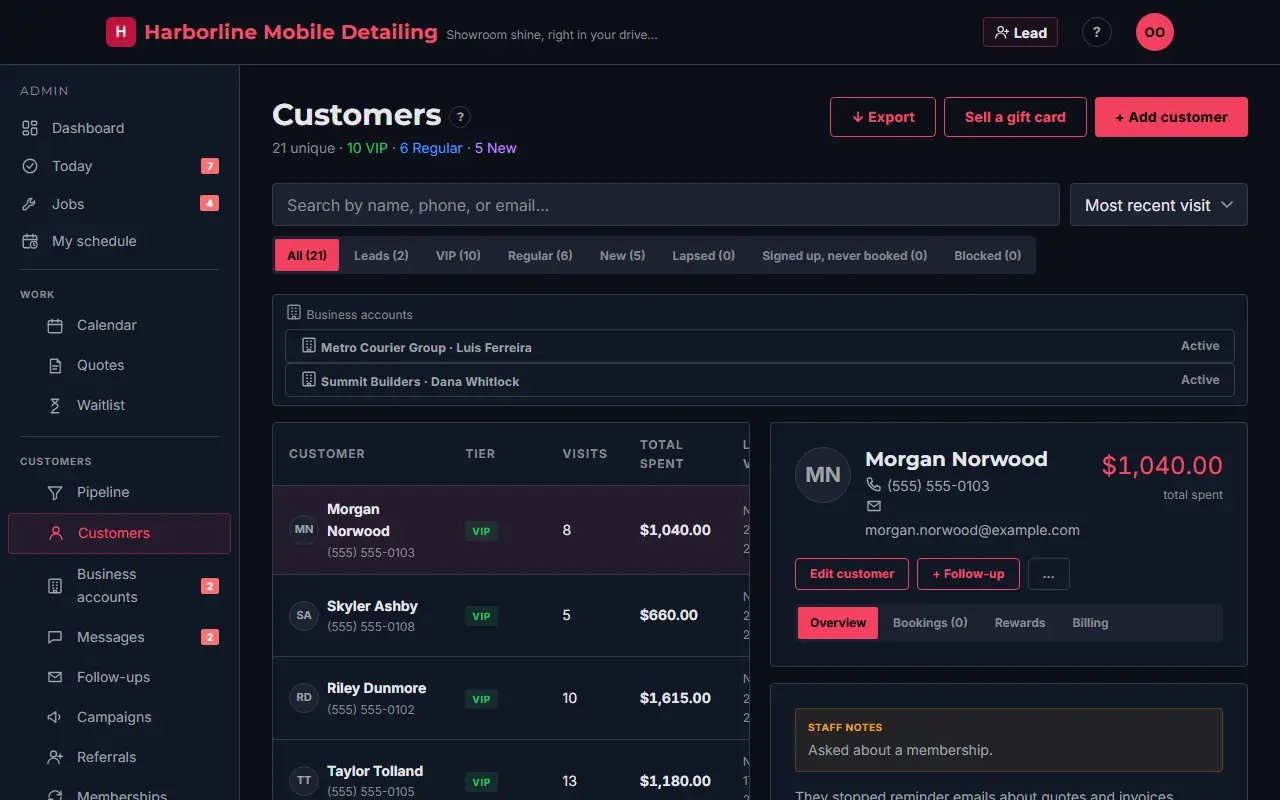
Open a customer: Overview, Bookings, Rewards and Billing are tabs. Edit customer and + Follow-up are under their name; Block and Purge are in More.
What you should see: Their notes, no-shows and history in one place.


Stuck? Email Crewtide Support at contact@crewtide.app, or use Help & Support in the app.