This is the same guide as the “?” in Crewtide. Everything here is in the admin area: on a computer it’s the menu on the left, and on a phone it’s the menu button. The screenshots are from a demo business.
-
Customers buy on your Gift Cards page: an amount, a personal message, and email it now, on a day they pick, or print it to give themselves.
What you should see: Your logo and colors on the page, the email and the printable card.
-
You get an alert for each sale, and the buyer gets the code, a printable card and a receipt. A card for a later day goes out that morning, around 9, your time.
What you should see: The sale under Gift cards.
-
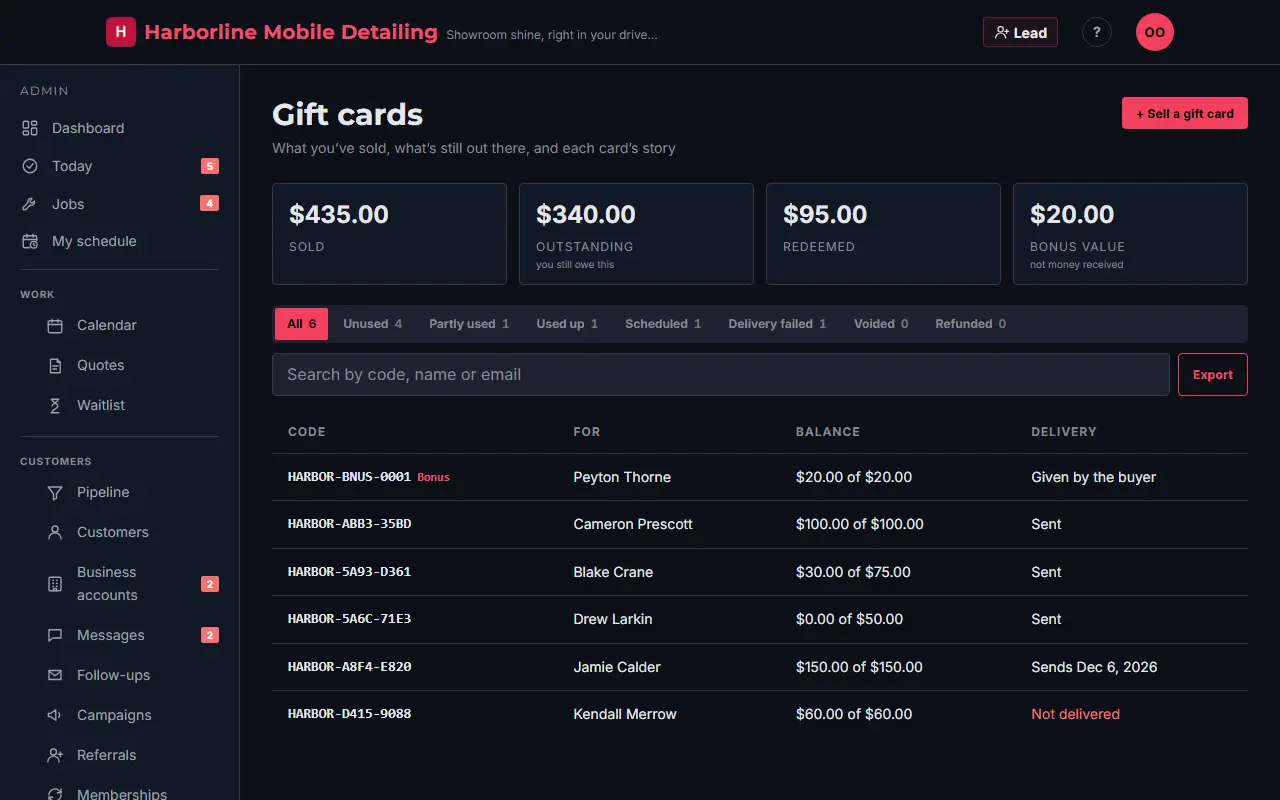
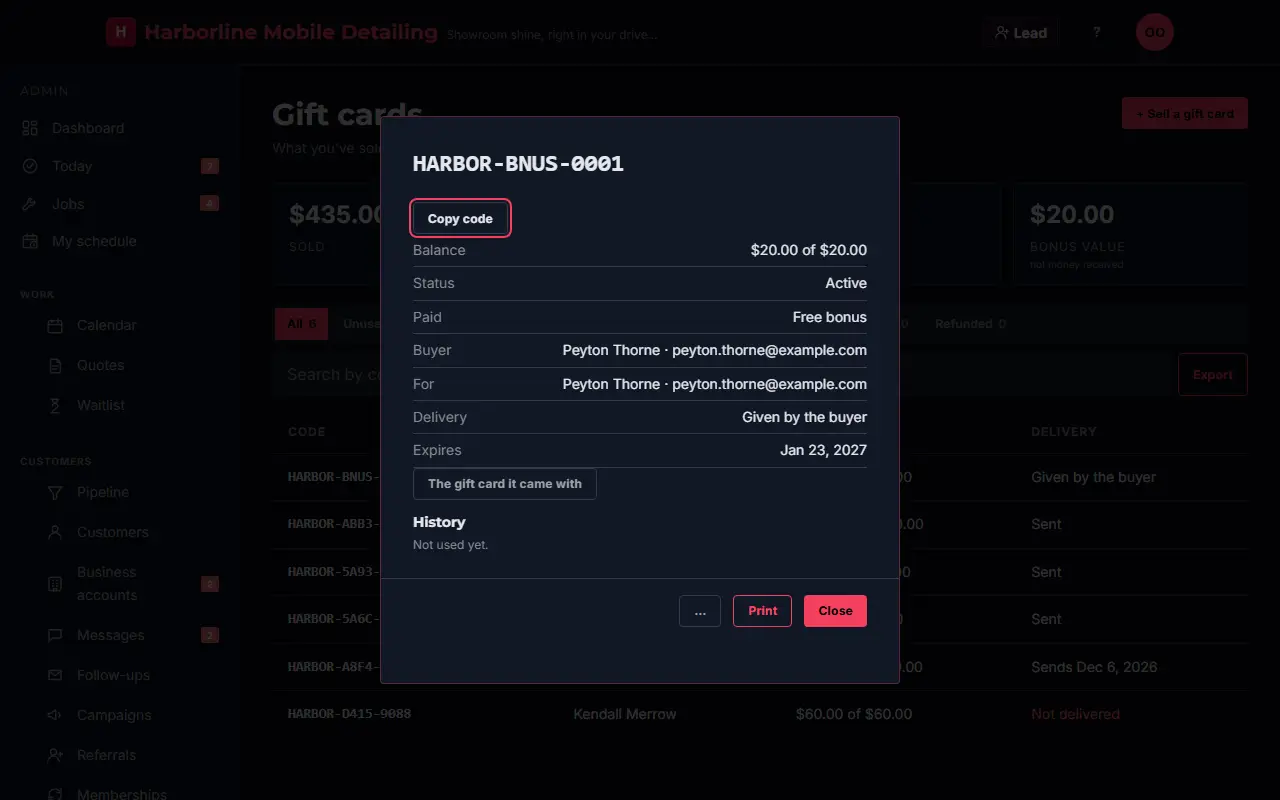
Gift cards, under Money, shows what you’ve sold and what’s still out there. Tap a card for its story. If one wasn’t delivered you’re told: tap Resend, and fix the email address if it was wrong.
What you should see: “Sent”, “Sends Nov 27” or “Not delivered”.
-
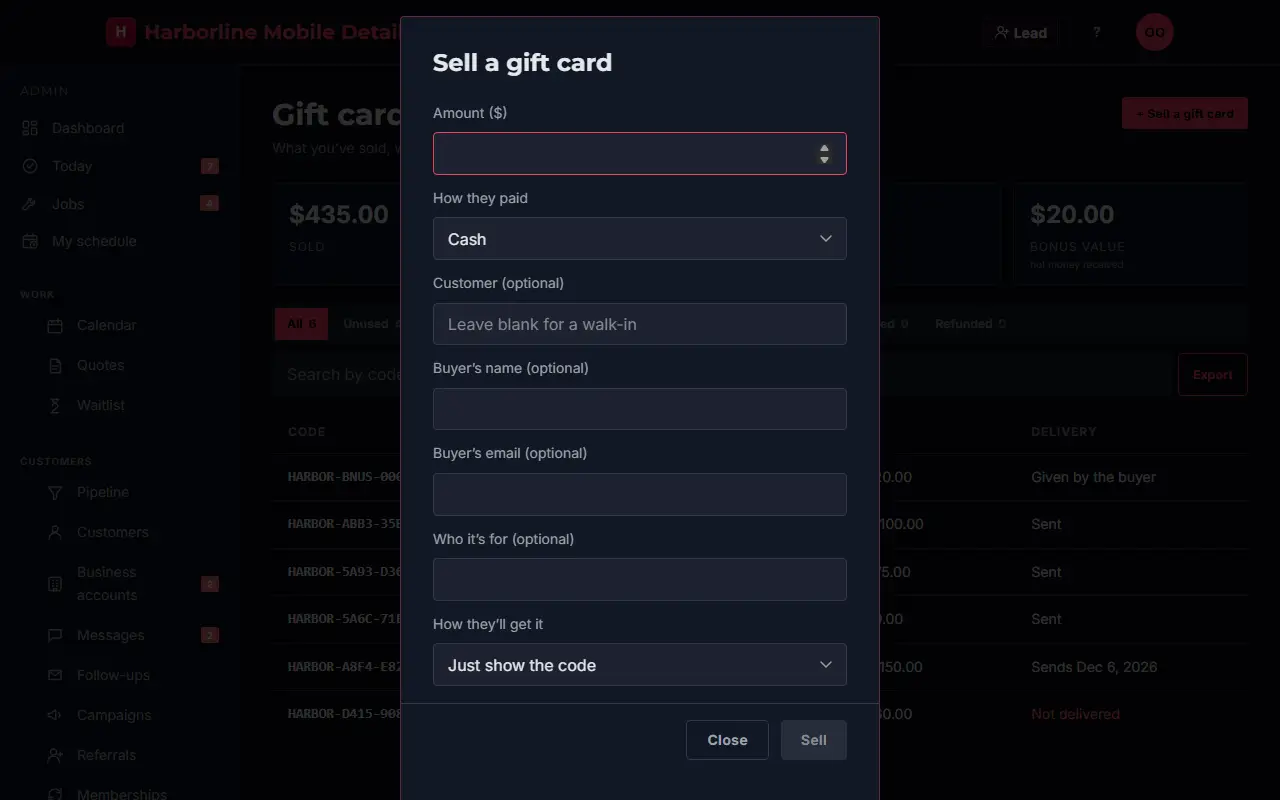
To sell one in person, tap “Sell a gift card”: it’s beside “+ Add booking” on the Dashboard and in Jobs, and in Gift cards and Customers; on a phone, the Dashboard’s + button offers it. Then cash, check, your Square terminal or a free (complimentary) card, and print it or email it. To use cards, enter their codes on the booking or invoice; several can go on one job, bonus cards first.
What you should see: The balance going down, and what’s left stays on the card.
-
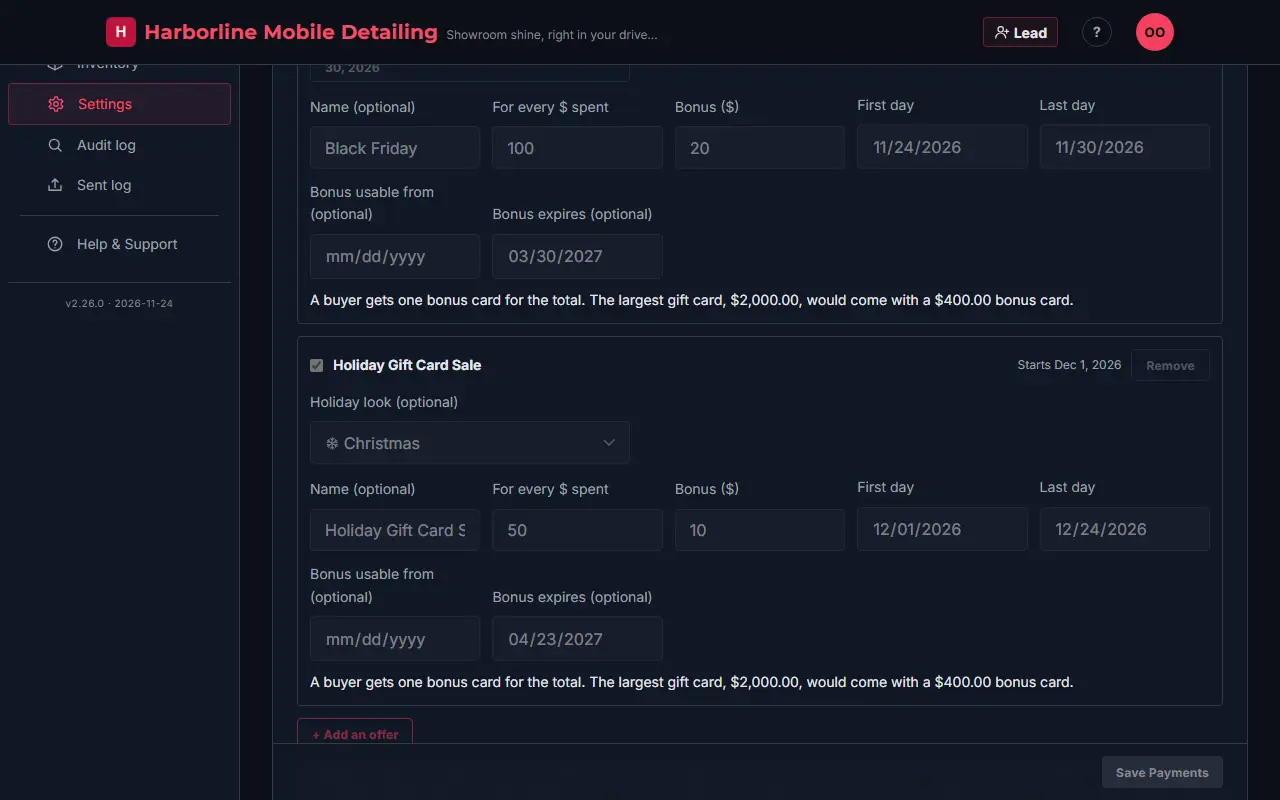
Bonus offers, such as a $20 bonus card for every $100 they spend, are in Settings → Payments, under Gift cards. You can set up a whole season of them ahead: see the guide “Gift card offers through the year”.
What you should see: Your offers, each with “Running now”, “Starts …” or “Off”.


Stuck? Email Crewtide Support at contact@crewtide.app, or use Help & Support in the app.