Automatic follow-ups for new leads
Emails that follow up new leads for you until they reply or book.
This is the same guide as the “?” in Crewtide. Everything here is in the admin area: on a computer it’s the menu on the left, and on a phone it’s the menu button. The screenshots are from a demo business.
-
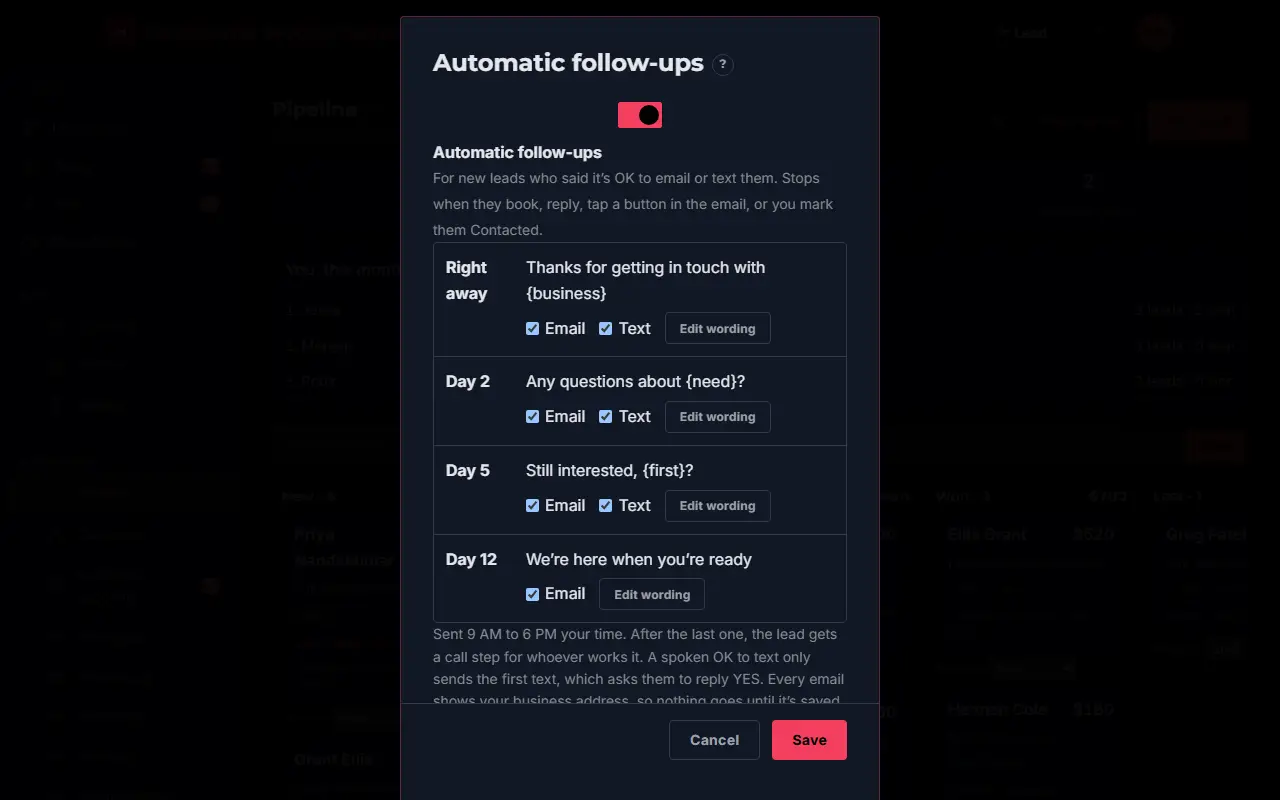
Pipeline → the gear → “Automatic follow-ups” → “Set up”, and switch it on. Nothing goes until your business’s street address is saved in Settings, since every email shows it.
What you should see: The four steps: Right away, Day 2, Day 5 and Day 12.
-
“Edit wording” on each step to change the words ({first} and {business} fill in). They go by email, 9 AM to 6 PM your time.
What you should see: “Automatic follow-ups saved”.
-
Only leads who said it’s OK to email them get follow-ups. Quote requests from your website or booking page get none.
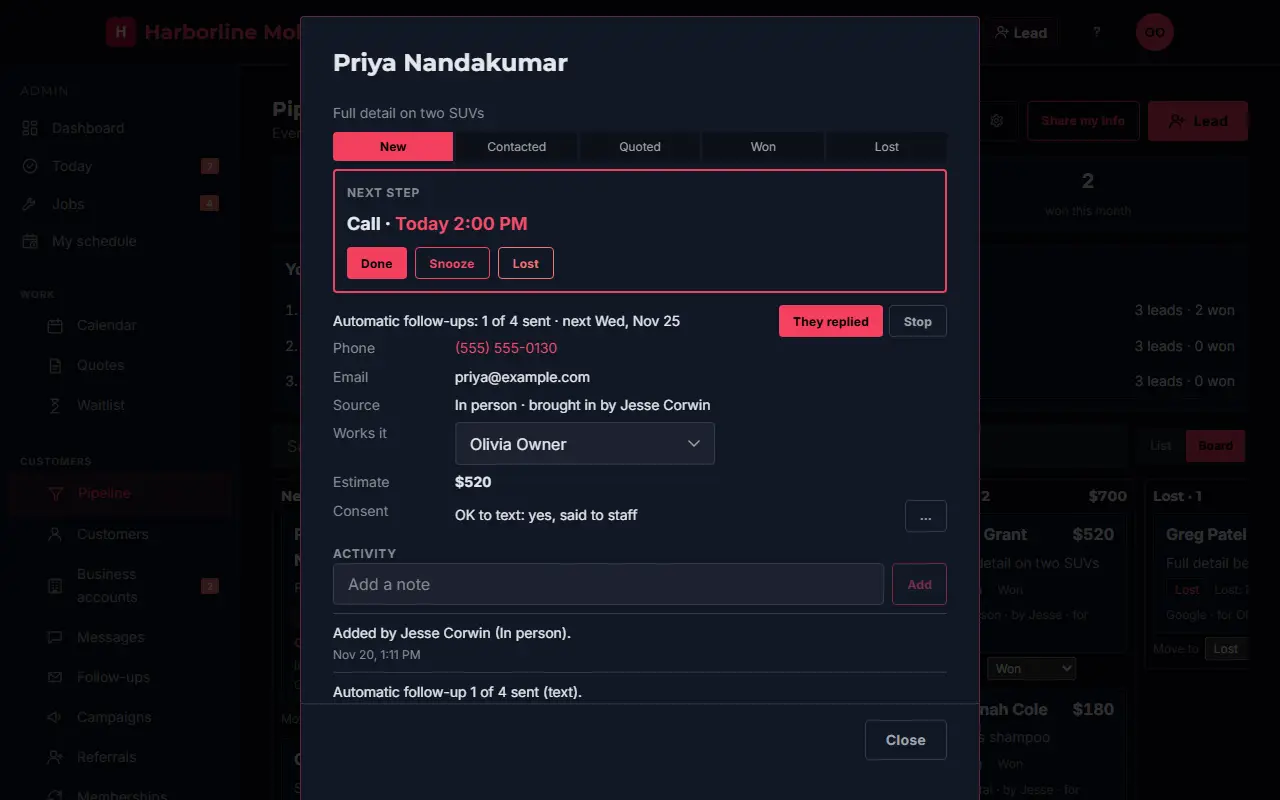
What you should see: On the lead: “Automatic follow-ups: 1 of 4 sent · next …”.
-
The Day 5 email has “Yes, call me”, which puts a call on today’s list for whoever works the lead, and “Not now”, which marks it lost and brings it back in 3 months.
What you should see: A call due today, with “They asked for a call”.
-
They stop when the lead books, replies, taps a button in the email, or you mark them Contacted. On the lead, “They replied” or “Stop” ends them by hand once you say so (they don’t start again). After the last one, whoever works the lead gets a call to make.
What you should see: “Automatic follow-ups stopped: …” or “finished”.
-
A lead who filled in someone’s Share my info code gets only the first email. Then whoever works the lead gets a call to make.
What you should see: “Automatic follow-ups: step 1 only … give them a call”.


Stuck? Email Crewtide Support at contact@crewtide.app, or use Help & Support in the app.